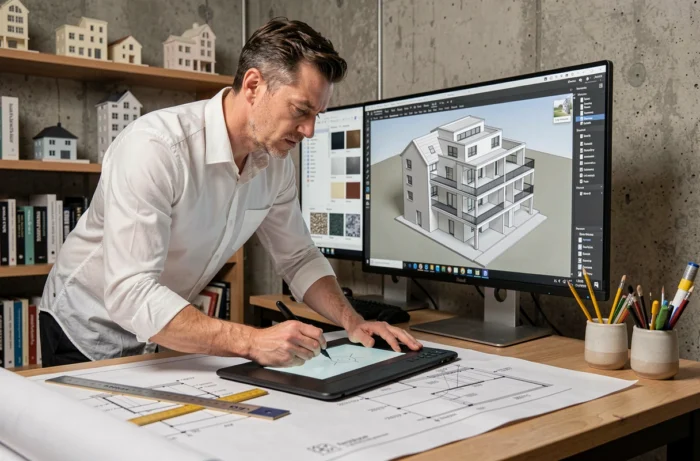
Choosing a workstation for architecture and 3D modeling is not just about comparing processor specifications. The file exchange format, compatibility with collaborative BIM workflows, and the GPU’s ability to handle real-time rendering weigh as heavily as raw power. This article compares the hardware and software components that truly determine the smoothness of a project, from the initial survey to the delivery of the digital model.
Professional GPU and architectural rendering: what benchmarks don’t show
Most graphics card comparisons focus on frames per second in video games. For an architecture or 3D modeling project, the criteria differ. Recent professional GPUs integrate specialized units for hardware ray tracing and neural rendering, two functions that significantly accelerate architectural visualization compared to a consumer-grade GPU of equivalent range.
VRAM determines the size of scenes that can be manipulated without slowdown. A BIM model loaded with furniture, vegetation, and high-resolution textures quickly saturates a card limited to 8 GB. 16 GB of VRAM is a realistic threshold for comfortably working on detailed models that include point clouds and photorealistic renderings.
The AI units embedded in recent GPUs also enable real-time denoising of renderings, which reduces computation times during client presentation phases. This capability, still marginal a few years ago, is becoming a measurable productivity factor on heavy projects.
To identify configurations suitable for these constraints, you can learn more on Archi 3D, which details specifications by type of use.

Comparison of key components for a 3D modeling workstation
The table below summarizes the hardware thresholds according to three common usage profiles in architecture and modeling.
| Component | Light projects (sketches, 2D plans) | Common 3D modeling | Collaborative BIM and photorealistic rendering |
|---|---|---|---|
| Processor | 4 recent cores | Minimum 8 cores | 12+ cores, high frequency |
| RAM | 8 GB | 16 GB | 32 GB or more |
| GPU (VRAM) | Integrated GPU or 4 GB | 8 GB, hardware ray tracing | 16 GB+, AI units and ray tracing |
| Storage | 256 GB SSD | 512 GB NVMe SSD | 1 TB+ NVMe SSD (fast sequential read) |
| Screen | Full HD | QHD, calibrated IPS panel | 4K, sRGB coverage above 95% |
The gap between the intermediate profile and the collaborative BIM profile is not solely due to raw power. RAM beyond 16 GB becomes necessary as soon as point clouds from 3D scanners are manipulated, a usage increasingly common in rehabilitation projects.
Software interoperability and IFC format: an often underestimated criterion
A high-performance workstation is not enough if the installed software does not communicate with each other. Collaborative BIM workflows require exchanges in the IFC format, shared naming conventions, and the delivery of digital models at each phase of the project.
Interoperability weighs as much as computing power in the choice of equipment. A computer capable of running a heavy rendering engine but unable to correctly export an IFC file slows down the entire production chain. Before investing in hardware, check that your software suite (SketchUp, Revit, ArchiCAD, or others) natively supports this format or has reliable plugins.
The French regulatory framework reinforces this requirement. Article R. 2132-10 of the Public Procurement Code allows a public buyer to impose the use of electronic modeling tools for building data. BIM is not generally mandatory, but can be required on a case-by-case basis in public contracts. Any agency responding to public tenders must therefore anticipate this constraint in its choice of equipment.
Checklist before purchase
- Native compatibility or via plugin with the IFC 2×3 and IFC4 formats, the two most requested versions in French BIM conventions
- Software’s ability to manage object classifications (Uniformat, Omniclass) without data loss on export
- Support for point clouds (formats .e57, .las) directly in the modeling environment, without costly intermediate conversion
- Ability to work collaboratively on a shared model, with management of modification conflicts
3D scanner and laser survey: the game-changing equipment in renovation
Renovation projects represent an increasing share of architectural agencies’ activities. Modeling an existing building from manual surveys is still possible, but the risk of dimensional error increases with the complexity of the structure.
The point cloud from a 3D scanner ensures the reliability of the digital model from the survey phase. Digitizing a site produces an accurate three-dimensional model, directly usable in BIM software to generate “as-built” plans. This step, once reserved for large projects, is becoming more accessible thanks to more compact scanners and external laser survey services.
However, integrating a point cloud into modeling software heavily demands RAM and GPU resources. A complete scanning file of a building can contain several hundred million points. Without a workstation sized for this use (see the “Collaborative BIM” profile in the table above), manipulation becomes impractical.
Screen and peripherals: choices that affect daily work precision
The quality of the screen directly impacts color reliability and detail readability in plans. A calibrated IPS panel with sRGB coverage above 95% remains the standard for any serious architectural design work. TN panels, which are less expensive, distort colors as soon as you slightly deviate from the viewing axis.
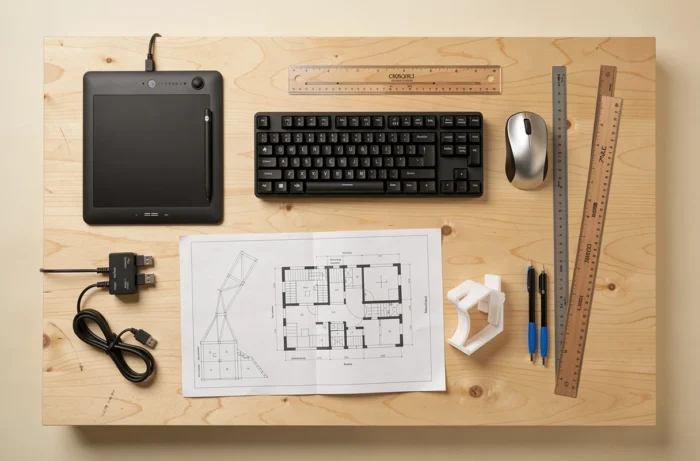
A freewheel mouse and a keyboard with programmable shortcuts reduce fatigue during long modeling sessions. These are modest investments that improve daily productivity far more than an excess of processor power that is rarely utilized.
The choice between a single large screen (32 inches or more) and a dual-screen setup depends on the workflow. Two screens allow simultaneous display of the 3D model and 2D plans or the specifications. An ultra-wide single screen offers superior immersion in modeling but complicates documentary multitasking.
The data that structures everything else: before sizing a workstation, identify the deliverable format required by your clients. It is this constraint, whether IFC format, BIM convention, or simple PDF export, that determines the level of equipment truly necessary.