
The Verisure badge is a small RFID device that allows you to arm or disarm an alarm by simply passing it in front of the control panel reader, without having to enter a code. Its operation relies on an integrated chip that emits a unique identifier, recognized by the security system in a fraction of a second. Understanding this mechanism helps to better manage the access rights of each household member and to react quickly in case of loss.
Knowing how to activate a Verisure alarm with a badge requires mastering a few preliminary concepts about the embedded technology and the settings available in the My Verisure app. This guide details the technical principle of the badge, the concrete activation procedure, user profile management, and the right reflexes in case of loss.
RFID Technology of the Verisure Badge and Communication with the Control Panel
The badge uses passive RFID technology. It contains neither a battery nor a power source: it is the electromagnetic field emitted by the badge reader of the control panel that powers the chip at the moment of passing. This chip then transmits an encrypted identifier unique to each badge.
The control panel checks this identifier in its internal database. If the badge is recognized and authorized, the command to arm or disarm is executed. The delay between passing the badge and the system acknowledging it is nearly instantaneous.
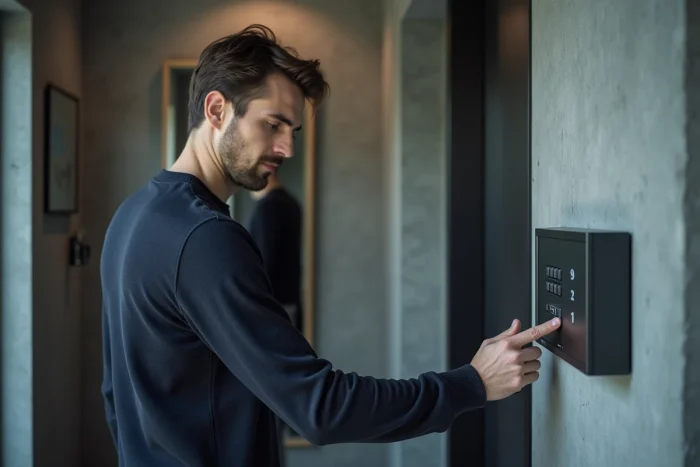
This contactless operation has a direct advantage: no PIN code to remember, no risk of incorrect entry that would trigger a false alert. The badge replaces the keypad for daily actions, simplifying use for children or elderly people.
Activating and Deactivating the Verisure Alarm: The Procedure with the Badge
Activating the alarm with a badge is done in two steps. First, bring the badge a few centimeters close to the reader located on the control panel. Then, wait for the audible or visual signal that confirms the system’s state change.
Full Activation Before Leaving Home
Full activation arms all detectors: door opening, movement, glass breakage. Passing the badge in front of the reader starts a countdown for exit. This delay allows time to pass through the front door before the system monitors all areas.
If a detector is triggered after the countdown ends, the control panel sends an alert to the Verisure monitoring center.
Partial Activation for Night Mode
Night mode (or partial mode) only arms certain areas, such as ground floor openings, while leaving the motion detectors in living areas inactive. Depending on the configuration made during installation, a quick double pass of the badge or a specific action on the control panel allows switching to partial mode.
This setting is particularly useful for moving freely inside the home at night while protecting exterior access points.
Deactivation Upon Return
Upon return, passing the badge in front of the reader disarms the system before the entry countdown ends. If the badge is not presented in time, the control panel triggers the alert protocol. Keeping the badge accessible (in a pocket, on a keychain) prevents this situation.
User Profiles and Access Rights by Badge in My Verisure
Each badge is associated with a distinct user profile in the My Verisure app. This association allows you to know precisely who armed or disarmed the alarm and at what time. The usage history of the badges (identity, time, activated mode) can be accessed directly in the app, providing complete traceability of comings and goings.
The system administrator can configure differentiated rights for each badge. For example, a badge may be authorized to deactivate the alarm during the day without being able to rearm it in full mode at night. This level of granularity allows adapting security to the role of each occupant or participant (housekeeper, babysitter, teenager).
- Main badge (administrator): all rights, including adding and deleting other badges via My Verisure.
- Secondary badge (family member): rights to activate and deactivate according to defined time slots or modes.
- Temporary badge (external participant): time-limited rights, revocable remotely from the app.
To add a new badge, the administrator goes through the My Verisure client area or contacts Verisure customer service. The badge must be physically presented in front of the control panel reader during registration for its identifier to be memorized.
Loss or Theft of a Verisure Badge: Remote Deactivation and GDPR
A lost or stolen badge represents a security breach: anyone who finds it could theoretically disarm the alarm. Since recent updates to the app, the user can deactivate a badge remotely via My Verisure, without going through customer service. This autonomy reduces the time during which a misplaced badge remains operational.
The procedure is simple:
- Log into the My Verisure app or the web client area.
- Access the badge management section in the system settings.
- Select the relevant badge and deactivate it immediately.
- Order a replacement badge if necessary.
The event log then allows checking if the lost badge was used between the time of loss and deactivation.
Named Badge and GDPR Regulation
The CNIL reminds that systems using named badges fall under GDPR as soon as the event log allows identifying a user. The system administrator must inform the individuals whose activity is tracked (household members, employees, participants). In a domestic context, this obligation remains light, but it becomes more stringent for professional use with employees badge-ing daily.
The Verisure badge combines quick use and fine access traceability. The management of profiles in My Verisure transforms a simple daily gesture into a true personalized security policy, provided that the list of active badges is kept up to date and that those no longer in use are revoked without delay.